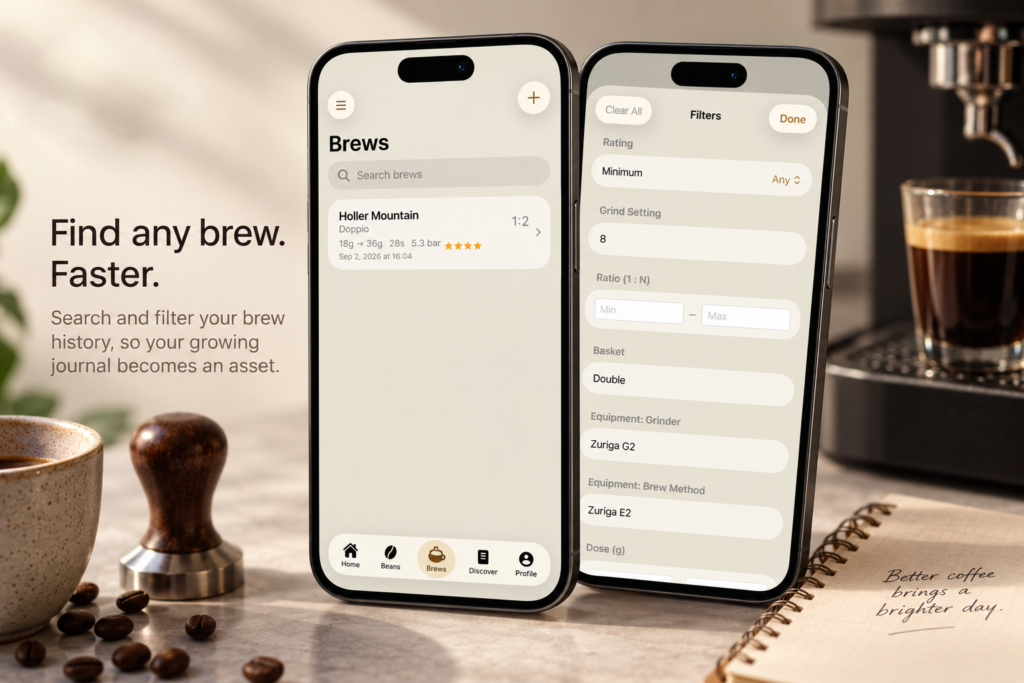
Nine Bar 1.3 is a focused update, and it’s aimed at a problem that only shows up once you’ve been using the app for a while: the more you log, the harder it gets to find one specific shot again.
This release adds search and filtering to the Brews tab — the tools to dig back through your entire brew history and find exactly the pull you’re thinking of, in seconds.
Find any shot, in seconds
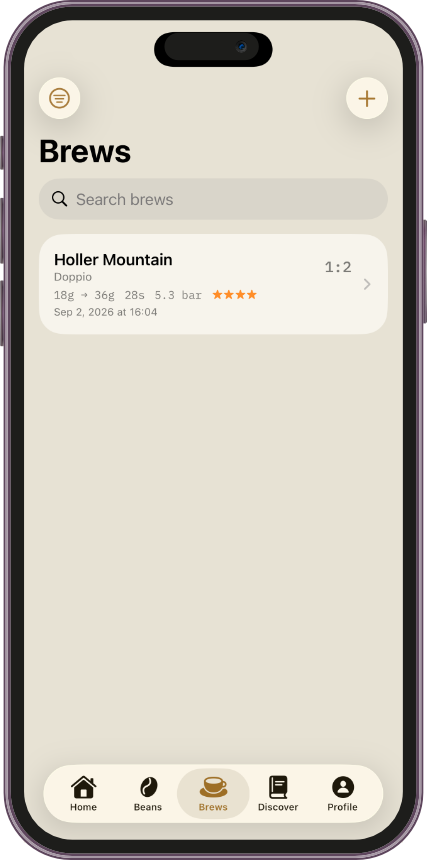
When your brew log was five pulls long, scrolling to find one wasn’t a problem. A hundred pulls in, it is.
Nine Bar 1.3 adds a search bar to the top of Brews, ready as soon as you open the tab. Search by bean name to pull up every shot you’ve logged with it, no matter how far back it goes.
Narrow it down to exactly what you’re after
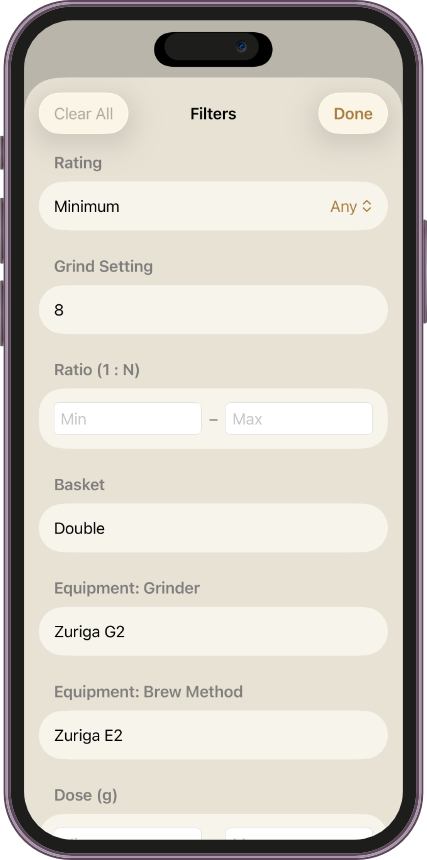
Search gets you most of the way there. Filters get you the rest.
The new Brews Filters sheet is organized around how brewing actually breaks down:
- Filter by recipe: Rating, Grind Setting, Dose, Yield, Ratio, and Time.
- Filter by shot: Pressure and Basket size.
- Filter by equipment: Grinder and Brew Method, so you can see every shot pulled on a given setup.
Combine them, and you can answer questions your brew log couldn’t answer before — like which grind setting actually produced your five-star shots, or how a specific grinder performs across every bean you’ve run through it.
Small updates matter
Nine Bar 1.3 isn’t a redesign, and it isn’t meant to be.
It’s about making sure the app keeps up with itself — that a coffee journal built to get more valuable the longer you use it doesn’t get harder to use in the process.
A more powerful log, without more work to keep it. That’s the idea behind this one.
Nine Bar 1.3 is available now
If you already have Nine Bar, update to version 1.3 to search and filter your entire Brews history.
If you’re new to Nine Bar, it’s a coffee journal built to help you remember the beans you try, the equipment you use, and the brews worth repeating.
Find your nine. Then repeat it.
PREVIOUS VERSION
← Nine Bar 1.2: Faster Access, a Better Start, and Now in Japanese