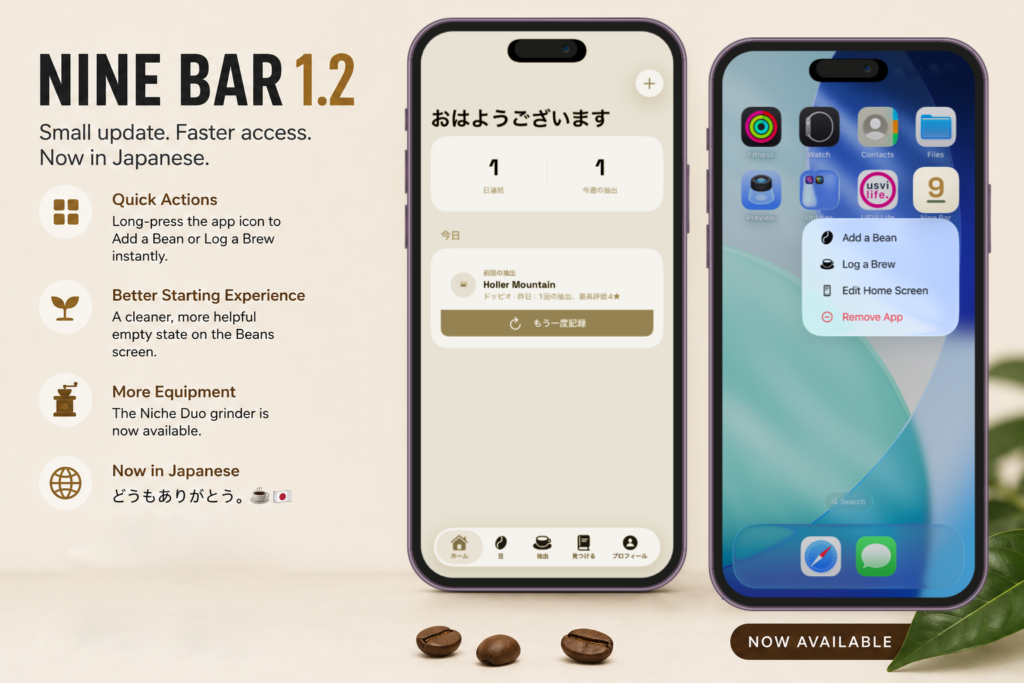
Nine Bar 1.2 is a smaller update than 1.1, but it focuses on something just as important: making the app a little faster, a little more helpful, and available to more coffee enthusiasts.
This release adds shortcuts for two of the things you do most, improves the experience for people just getting started with Nine Bar, expands the equipment library, and marks an important first for the app: Nine Bar is now available in Japanese.
Your next brew is now one long-press away
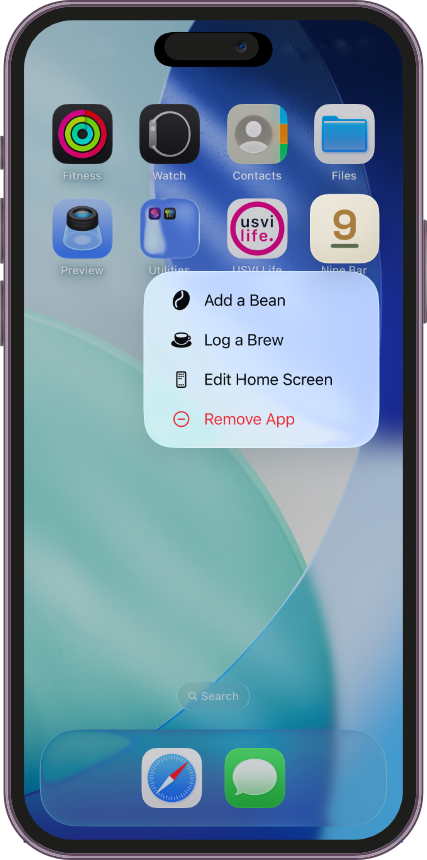
When you want to log a brew, the last thing you need is extra navigation between you and your coffee.
Nine Bar 1.2 adds Home Screen Quick Actions. Long-press the Nine Bar icon on your iPhone and you’ll now see two shortcuts:
- Add a Bean
- Log a Brew
Choose one and Nine Bar takes you directly where you need to go.
It sounds like a small change—and it is—but those are often some of my favorite improvements. Logging a brew is something you might do every day, so eliminating even a few unnecessary steps makes Nine Bar feel quicker and more natural over time.
A better beginning for your bean library
Nine Bar is designed to become more useful as you build a history of beans and brews. But every coffee journal has to start somewhere.
In 1.2, I’ve redesigned the empty state on the Beans screen to make that first experience cleaner and more helpful.
Instead of simply presenting an empty library, Nine Bar gives you a clearer starting point and a direct path to adding your first bean. It’s a relatively small UX improvement, but it makes the app feel more welcoming from the moment someone opens the Beans tab for the first time.
One more grinder joins the equipment library
Nine Bar’s equipment library continues to grow, too.
Version 1.2 adds the Niche Duo as a grinder option, joining the existing equipment you can associate with your coffee setup and brews.
As Nine Bar evolves, I want the equipment library to reflect the gear coffee enthusiasts actually use. Adding more machines, grinders, brewers, and accessories will continue to be part of that.
どうもありがとう。Nine Bar now speaks Japanese. ☕️🇯🇵
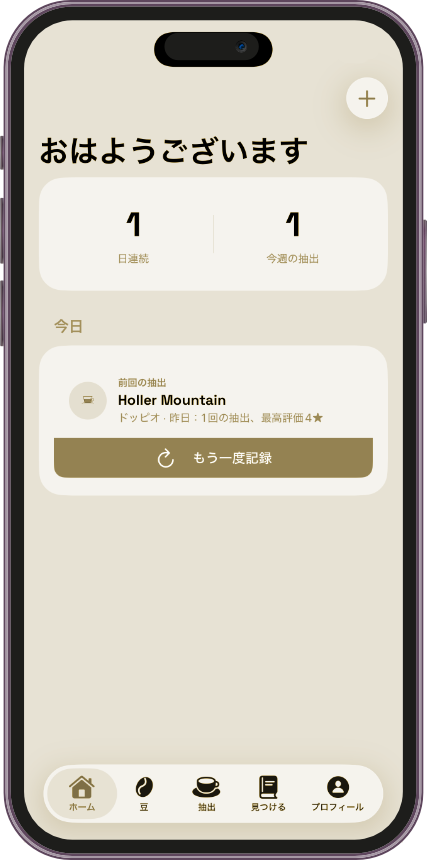
The biggest milestone in Nine Bar 1.2 isn’t a new button or screen.
It’s a new language.
Nine Bar is now available in Japanese, bringing the app’s beans, brews, equipment, coffee journal, menus, and screens to Japanese-speaking coffee enthusiasts.
Japan felt like a particularly fitting place to begin expanding Nine Bar beyond English. Coffee there can be wonderfully meticulous—from espresso and specialty cafés to pour-over brewing and the attention given to equipment, technique, and individual beans.
Those are many of the same things Nine Bar was created to help people appreciate and remember.
豆から一杯まで。
From bean to brew.
And this is only the beginning. Japanese is Nine Bar’s first localization, but I don’t expect it to be the last.
Small updates matter
Version 1.2 isn’t intended to reinvent Nine Bar.
- Instead, it’s about polishing the experience:
- Making a common action faster.
- Making the first experience better.
- Supporting another piece of coffee equipment.
- And making the entire app accessible to a new group of coffee enthusiasts.
That’s the kind of progress I want Nine Bar updates to make—even when the version number represents a relatively small release.
Small update. Faster access to the things you do most. And now a little more personal for Japanese coffee enthusiasts.
どうもありがとう。☕️🇯🇵
豆から一杯まで。
Nine Bar 1.2 is available now
If you already have Nine Bar, update to version 1.2 to get Home Screen Quick Actions, the improved Beans experience, Niche Duo support, and Japanese localization.
If you’re new to Nine Bar, it’s a coffee journal built to help you remember the beans you try, the equipment you use, and the brews worth repeating.
Find your nine. Then repeat it.