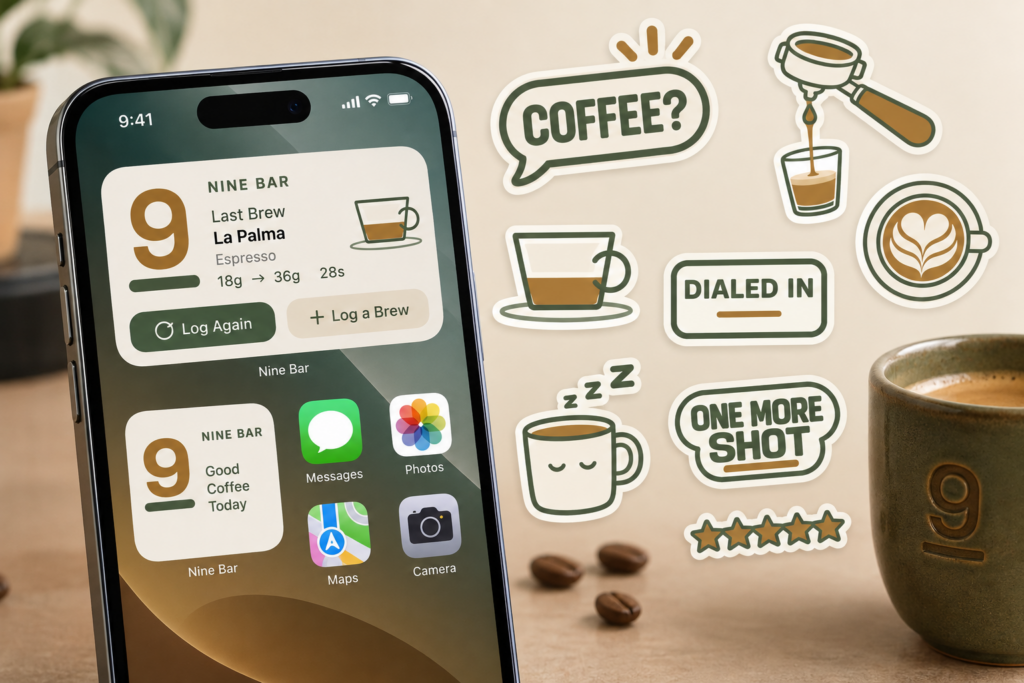
Every previous Nine Bar update has been about making the app itself better. Version 1.4 is the first one that’s also about everywhere else.
This release puts your last brew on your Home Screen, lets you send a shot of espresso to a friend in Messages, points you toward the right drink before you even pull it, and gives your equipment its own home in Profile.
Your brew, without opening the app
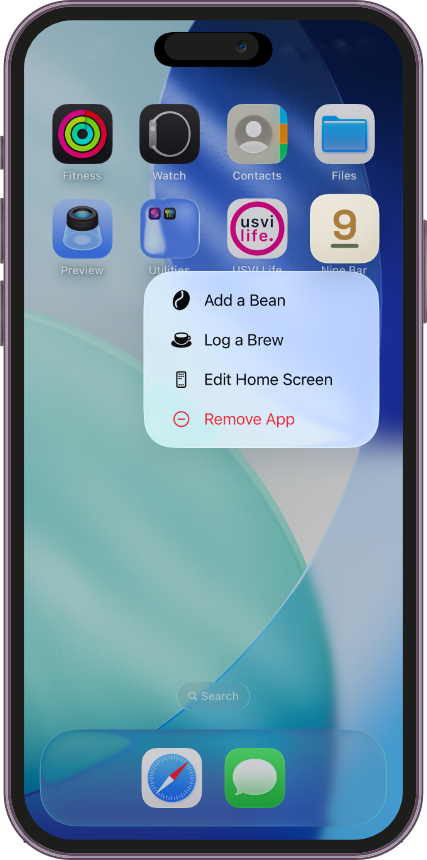
When you want to log a brew, the last thing you need is to open an app, wait for it to load, and tap through to the right screen.
Nine Bar 1.4 adds Home Screen widgets, in two sizes:
The medium widget shows your last brew in full — bean, roaster, and drink type, plus dose, yield, ratio, time, and pressure — with Log Again and Log a Brew buttons right on it. Pull a shot of Holler Mountain, an espresso from Stumptown Coffee Roasters, and your widget shows exactly that: 18g in, 36g out, a 1:2 ratio, 28 seconds, 5.3 bar — updated the moment you save it.
The small widget keeps it compact: bean, drink type, and the dose-to-yield-to-time essentials, with one-tap Log Again for whenever you’re making the same thing again.
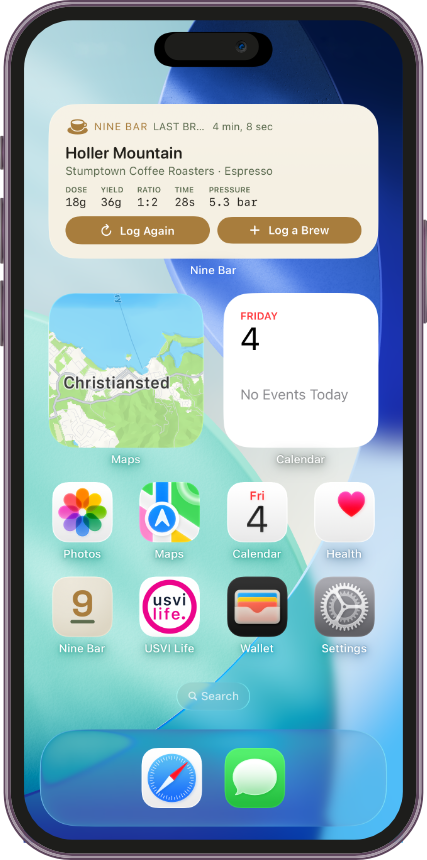
Both widgets update automatically after every brew, so what’s on your Home Screen is always your most recent pull — no manual refresh, no stale data.
Say it with a shot of espresso
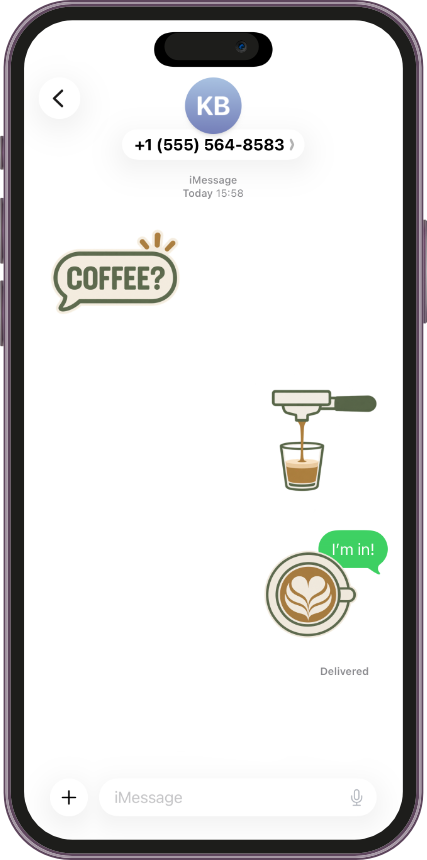
Nine Bar 1.4 also ships a free sticker pack for Messages — 25 stickers covering the full drink lineup, gear like the portafilter and grinder, and a few just for fun, like “One More Shot” and “Dialed In.”
They’re peel-and-stick sized, so they resize and layer naturally like any other iMessage sticker. Someone texts “Coffee?” — you send back an espresso pour and a latte heart, no words needed. It’s free with the app, no separate download and no in-app purchase.
Know what to brew, before you brew it
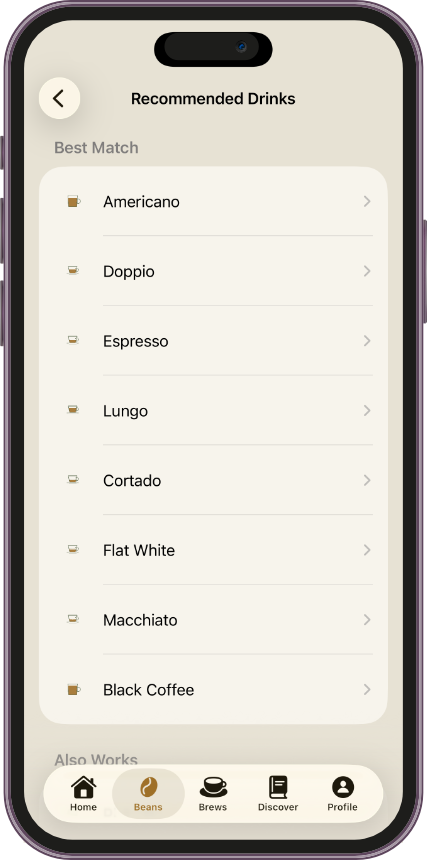
Every bean in your library now comes with its own answer to “what should I actually make with this?”
Open a bean’s detail screen and you’ll find a new Recommended Drinks row, grouped into Best Match and Also Works, based on how that roast level typically tastes. Holler Mountain, a medium roast, comes back with 8 Best Match drinks — Americano, Doppio, Espresso, Lungo, Cortado, Flat White, Macchiato, and Black Coffee — plus 6 more that Also Work: Ristretto, Cappuccino, Latte, Red Eye, Cold Brew, and Turkish Coffee. Tap any of them to jump straight to the recipe in Discover.
Your gear, all in one place
As your setup grows, it deserves its own place to live — not just a field buried inside a brew log.
Profile now has a Your Equipment section, sitting right under Your Journal, with Grinders and Brew Method broken out as their own entries. Open Grinders and you’ll see everything you’ve logged — a Zuriga G2, for instance — in one list. Open Brew Method and add a new one, like a Zuriga E2, right from the same screen.
A better moment to ask
If you’re enjoying Nine Bar, we’ll ask — just not right away, and not too often.
Nine Bar no longer asks for a rating on launch or after your very first bean. The prompt now shows up after real signs you’re getting value from the app, like logging several brews or reusing Log Again — a simple “Enjoying Nine Bar? Tap a star to rate it on the App Store,” with one tap to rate or dismiss with Not Now.
Small touches, aimed at real use
Nine Bar 1.4 isn’t one feature — it’s four, built around a single idea: meet people where they already are, whether that’s their Home Screen, a text conversation, or the moment right before they pull a shot.
Home Screen widgets, a free sticker pack for Messages, better suggestions when you need them, a clearer record of your gear, and a rating prompt that shows up when it’s actually earned — plus smaller refinements throughout, to make managing your coffee journal smoother.
Nine Bar 1.4 is available now
If you already have Nine Bar, update to version 1.4 for Home Screen widgets, the sticker pack, personalized drink recommendations, and equipment tracking.
If you’re new to Nine Bar, it’s a coffee journal built to help you remember the beans you try, the equipment you use, and the brews worth repeating.
Find your nine. Then repeat it.
PREVIOUS POST
← Nine Bar 1.3: Find Any Shot, Instantly